How to Make a Grocery List: 10 Simple Steps That Save Time and Money
A well-organized grocery list can save time, reduce impulse purchases, prevent forgotten items, and make meal planning much easier. The best lists do more than collect product names—they organize what you need around the way you actually shop.
In this guide, you will learn how to make a grocery list that is practical, easy to share, and quick to use in the store. You can follow the steps on paper, in your phone’s notes, or with a dedicated grocery list app.
Quick answer: how do you make a good grocery list?
Check what you already have, plan a few meals, write down the missing ingredients, add household essentials, group everything by store section, and share the list with anyone shopping with you. Before checkout, review the list once more to avoid duplicates.
What to put on a grocery list
Your list should include the foods needed for planned meals, everyday staples that are running low, snacks, drinks, and any household supplies you normally buy at the grocery store. Common sections include:
- Fresh produce
- Meat, fish, or plant-based proteins
- Dairy and eggs
- Bread, rice, pasta, and grains
- Frozen foods
- Canned and pantry goods
- Snacks and beverages
- Cleaning and household supplies
- Personal-care products
The goal is not to build the longest list. It is to create an accurate list that matches your meals, household needs, and budget.
How to make a grocery list in 10 simple steps
1. Check your refrigerator, freezer, and pantry
Start at home before thinking about the store. Look for ingredients that need to be used soon and staples that are almost empty. Checking first prevents duplicate purchases and helps you plan meals around food you already own.
2. Plan your meals for the next few days
You do not need a complicated weekly schedule. Choose a realistic number of breakfasts, lunches, and dinners based on how often you cook. Include one flexible meal for leftovers or a change of plans.
3. Turn each meal into ingredients
Review every planned meal and list only the ingredients you do not already have. Be specific when it matters: “2 cans of black beans” is more useful than simply writing “beans.” Quantities reduce guesswork and make budgeting easier.
4. Add your regular essentials
Add items your household uses repeatedly, such as milk, eggs, fruit, bread, coffee, or pet supplies. A master list of recurring essentials makes this step faster because you can scan it instead of relying on memory.
5. Ask everyone in the household
Last-minute texts are one of the easiest ways to forget items. Use a shared list so family members can add what they need as soon as they notice it. Everyone works from one current version instead of separate notes.
6. Group items by store section
Organize the list in roughly the same order you move through the store. Grouping produce, bakery, dairy, frozen food, and pantry items keeps you from walking back and forth. It also makes the list easier to scan on a small screen.
7. Note quantities and preferences
Add the size, quantity, brand, or substitute when another person may shop. For example, “oat milk, unsweetened, 2 cartons” is clearer than “milk.” Useful details prevent calls from the store and incorrect purchases.
8. Check your budget before leaving
Estimate the expensive items first and identify what is optional. If the total looks high, adjust the meal plan, swap ingredients, or postpone nonessential purchases before you enter the store.
9. Keep the list easy to update
A grocery list works best when it is always nearby. Keep it on your phone or use an app that lets you save favorites and maintain a master list. Add items when they run low—not five minutes before shopping.
10. Check off items while shopping
Mark each item as it enters the cart. A live checklist shows what remains, prevents accidental duplicates, and helps a shared household avoid buying the same product twice.
A simple grocery list example
Produce
- Bananas
- Apples
- Spinach
- Onions
- Bell peppers
Dairy & eggs
- Eggs
- Milk or alternative
- Greek yogurt
Pantry
- Rice
- Pasta
- Canned tomatoes
- Black beans
- Olive oil
Household
- Dish soap
- Paper towels
- Garbage bags
How to save money with your grocery list
- Plan around what you have. Using existing food first reduces waste and shortens the list.
- Compare unit prices. The lowest sticker price is not always the best value.
- Choose flexible ingredients. Rice, eggs, beans, frozen vegetables, and seasonal produce can work in several meals.
- Separate needs from extras. Keep optional snacks or treats in their own section.
- Avoid shopping hungry. A list helps, but hunger can still encourage impulse purchases.
- Review your shopping history. Repeat useful purchases and notice items you regularly buy but do not use.
Paper list, phone notes, or grocery list app?
Paper is simple, but it can be forgotten and cannot update for everyone. A notes app is convenient, though long lists become difficult to organize. A dedicated grocery list app is most useful for households that want shared, synchronized lists, saved favorites, pantry awareness, and quick item entry.
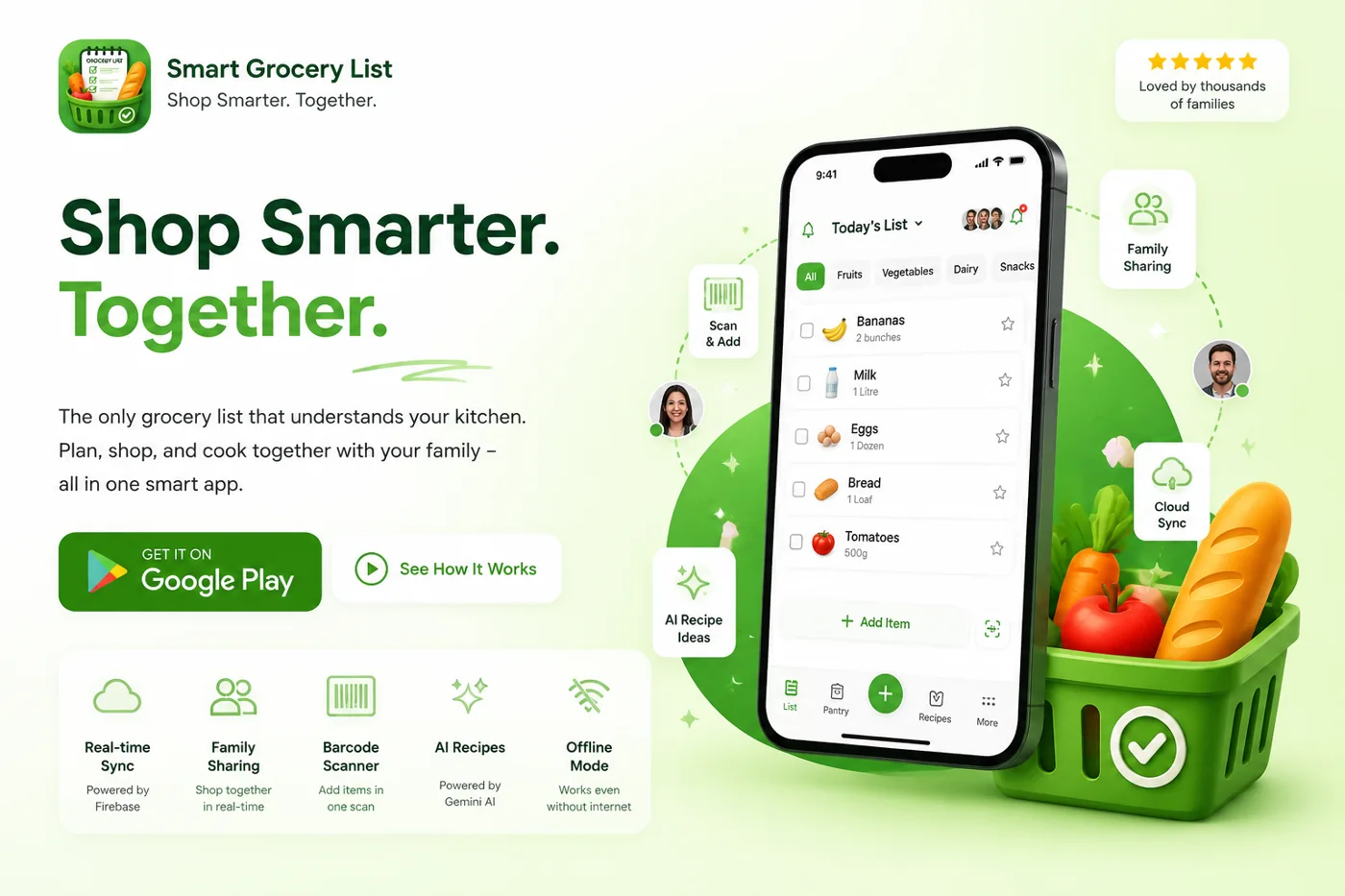
Smart Grocery List brings these tasks together. You can focus on today’s shopping list, maintain a Grand List of household essentials, save frequent purchases as favorites, and invite family members to collaborate in real time.
Build one list and shop together
Keep groceries, household essentials, favorites, and family updates in one organized place.
Frequently asked questions
What is the easiest way to make a grocery list?
Check the kitchen, choose realistic meals and write down the ingredients you still need. Add regular household essentials, then group the list by store section. Save recurring items as a reference so next week begins with a review rather than a blank page.
How far ahead should I make my grocery list?
Keep an ongoing list throughout the week and finalize it after checking your meal plan and available food. A review the evening before shopping works for many households. Make a final check before leaving if your schedule or the number of people eating at home has changed.
How do I make a grocery list for a family?
Ask everyone to contribute to one shared list, then review quantities and preferences before shopping. Include school lunches, snacks and household supplies as well as dinner ingredients. Choose one person to resolve duplicates and unclear requests so the shopper has a usable final checklist.
What should be on a basic grocery list?
Include ingredients for planned meals, breakfast staples, drinks and any household supplies that are running low. Typical food categories include produce, proteins, grains and dairy or alternatives. There is no universal checklist; remove items your household does not eat and add the quantities you actually need.
How do I make a grocery list on a budget?
Begin with meals you can partly make from existing ingredients. Estimate the cost of missing items, separate essentials from optional purchases and revise expensive meals before shopping. Compare package prices and unit prices at the store rather than assuming the largest size always offers the best value.
What grocery list categories are most useful?
Start with produce, bakery, refrigerated foods, proteins, pantry goods, frozen foods and household supplies. Combine or rename sections to match your store. Categories should help you find items while shopping, so avoid creating a separate group for every individual ingredient.
How do I calculate quantities for a weekly grocery list?
Count the meals you will eat at home and the people eating each one. Add ingredient amounts across the chosen recipes, subtract usable stock and translate the remainder into practical purchase quantities. Check package sizes so the shopping request is clearer than simply naming the ingredient.
How do I make a grocery list for one person?
Choose a smaller number of meals with overlapping ingredients and realistic portions. Buy perishables in amounts you expect to finish, and include freezer or pantry options for changed plans. Keep a short staples checklist so occasional purchases do not disappear from your routine.
Is a paper grocery list better than an app?
Paper works well for a short trip with one shopper. A phone list is easier to keep nearby, and a shared grocery app can help when several people contribute. Choose the format you will update consistently rather than the one with the most features.
How can I avoid forgetting items on my grocery list?
Add an item when you notice it running low rather than relying on shopping-day memory. Before leaving, review meals, breakfast supplies and non-food essentials. During shopping, check off purchases and make a final scan of the remaining list before going to checkout.
Printable Basic Grocery List Template
Copy this checklist into your phone, print it, or use it as the starting point for a reusable list. Remove anything your household does not use and add quantities beside the items you need.
Fresh food
- Fruit
- Vegetables
- Bread
- Milk or alternative
- Eggs
- Protein for planned meals
Pantry and household
- Rice, pasta, or grains
- Canned goods
- Breakfast staples
- Snacks
- Cleaning supplies
- Personal-care essentials
One-Person List vs Family Grocery List
| Planning detail | One person | Family household |
|---|---|---|
| Meal quantities | Smaller portions and fewer perishables | Quantities based on household size |
| List updates | One person maintains the list | Everyone contributes to one shared list |
| Preferences | Personal choices | Record brands, allergies and substitutions |
| Recurring items | Short master list | Shared staples, school items and household supplies |
If several people contribute to shopping, use our step-by-step guide to creating a shared grocery list for your family.
Next step: Start with a master list of essentials, then create a shorter list for your next shopping trip. Over time, remove items you rarely use and save the ones you buy most often.
Make Your Next Grocery Trip Easier
Helpful resources: read Mastering Your Grocery Shopping Experience with Smart Grocery List next, and check Canada’s Food Guide for reliable guidance.
Keep your household organized with shared lists, pantry tracking, barcode scanning, favorites, and offline access.
Download the Smart Grocery List app free on Android or explore all Smart Grocery List features.