Forgotten milk, duplicate cereal, and the classic “I thought you were buying that” conversation can turn one weekly grocery trip into several smaller errands. A grocery list organizer app gives your household one place to record what is needed and update it as things run low. This keeps everyone working from the same list.
The true benefit is having a list that stays useful between shopping trips and keeps pace with a busy household.
TL;DR:
- A shared digital list reduces the confusion of separate notes and messages.
- Grouping food and household items makes store trips easier to follow.
- Pantry tracking helps you distinguish what you need from what you already have.
- Shared editing matters most when more than one person shops or adds items.
- Apps like Smart Grocery List are designed to combine shared lists, pantry tracking, barcode scanning, Smart Favorites, and a master list for household organization.
What Is a Grocery List Organizer App?
A grocery list organizer app is a digital tool that helps you create, update, and check off household essentials. Unlike a basic note, it focuses on recurring shopping rather than a single typed checklist.
For a household, that distinction matters. Your grocery needs change throughout the week. Someone finishes the last carton of eggs, another person notices the dish soap is low, and a planned dinner adds several ingredients. A useful system lets those changes become part of the shopping plan immediately.
A paper list can work well for one shopper. A dedicated grocery list organizer app becomes more useful when several people need to contribute, see changes, or remember recurring household purchases.
The goal is one reliable source of truth for what your household needs before and during the grocery trip.
A practical list should cover more than food. Common sections include:
- Fresh produce
- Meat, fish, or plant-based proteins
- Dairy and eggs
- Bread, rice, pasta, and grains
- Frozen foods
- Pantry goods
- Snacks and beverages
- Cleaning and household supplies
- Personal-care products
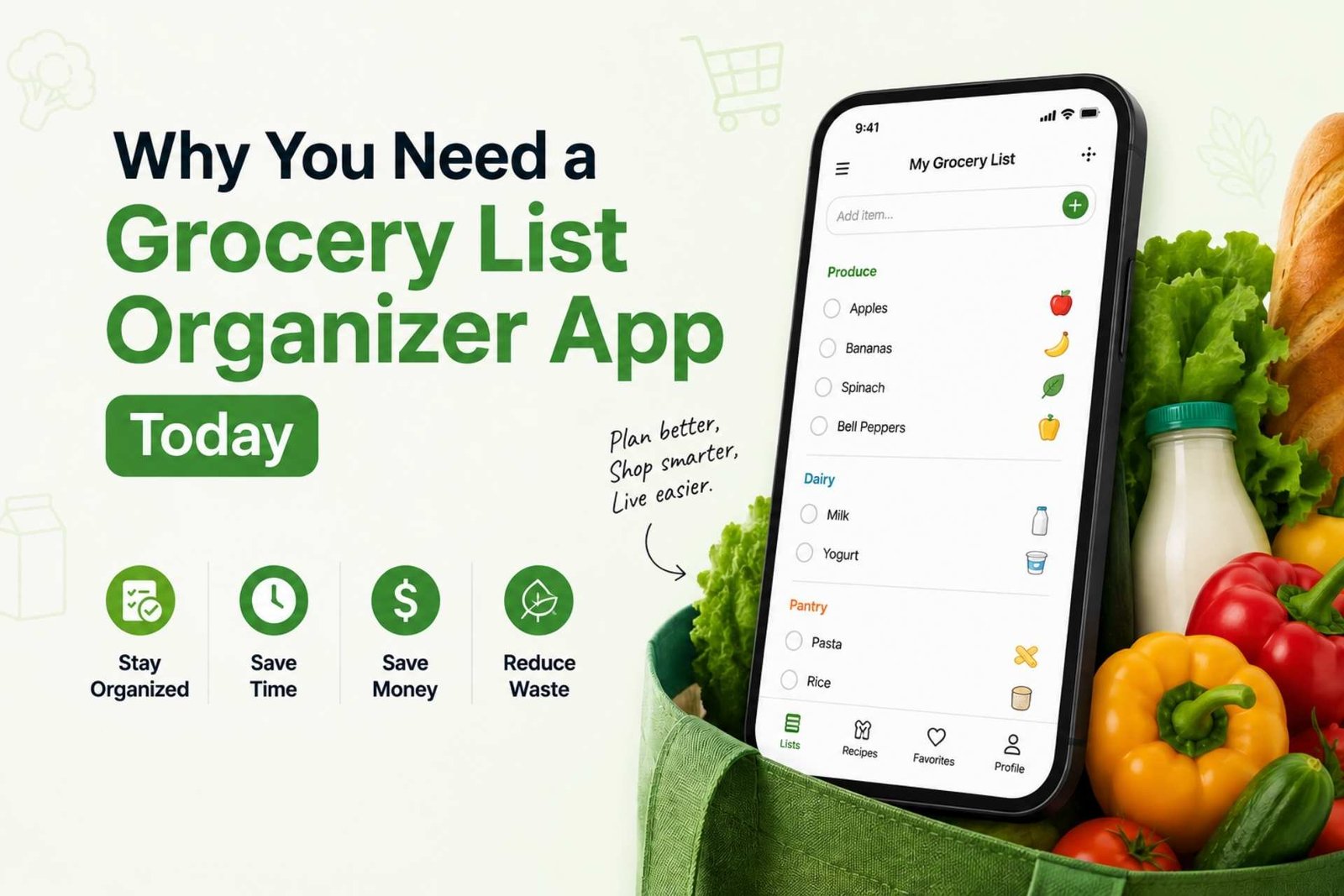
(Image: a household grocery list organized by store sections, alt: ‘organized grocery shopping list for a household’)
How a Grocery List Organizer Keeps the Household on Track
The biggest improvement comes from changing when you make the list. Instead of sitting down five minutes before leaving for the store, add items when you notice they are running low.
Start with your refrigerator, freezer, and pantry. Check what needs to be used soon and what is nearly empty. Then plan a few meals and add only the missing ingredients.
This simple sequence can prevent buying duplicates. It also makes the list more closely match what your household will actually eat.
A shared list changes the conversation between household members. Instead of sending text messages and hoping the request is remembered, the item goes directly onto the household list.
Real-time updates become especially useful when two people are shopping. One person can edit an item while another checks off purchases in the store.
For families, the best list is the one that stays current even when the person doing the shopping changes.
Keep essential groceries and household supplies easy to identify, while optional snacks or treats sit in their own section. That makes it easier to review the list against your budget before leaving home.
Smart Grocery List is built around this shared-household approach. Its app is designed to support Family Sharing and real-time synchronization, allowing multiple household members to collaborate.
The service also aims to support offline access, with changes synchronizing after reconnection. You can see the brand’s broader approach to household shopping on the Smart Grocery List app homepage.
Which Features Matter for Shared Grocery Shopping?
Not every digital list needs every possible feature. The useful question is whether a feature removes a recurring point of friction in your household.
Shared Lists and Real-Time Sync
If more than one person shops or contributes to the list, shared editing should be near the top of your checklist. Everyone can work from the same current list instead of maintaining separate notes.
Pantry Tracking
Pantry awareness helps answer a basic question before you shop: do we actually need this? Smart Grocery List is designed to include Pantry Tracking to help households keep essential items visible and identify what needs restocking.
Barcode Scanning
Typing every packaged product can become tedious. A barcode scanner makes adding products faster. Smart Grocery List typically includes a barcode scanner for this purpose.
Smart Favorites
Recurring purchases should not require repeated typing. Smart Grocery List’s Smart Favorites feature aims to allow frequent purchases to be added quickly.
The Grand List
Some household items are easy to forget because they are not part of a specific meal. The Grand List provides a master list of household essentials, giving you a place to maintain those recurring needs.
Offline Access
Grocery stores do not always provide dependable connectivity. Smart Grocery List is built to keep the list accessible offline and synchronize changes once you reconnect.
Prioritize the features that solve your household’s actual problems, rather than choosing an app because it has the longest feature list.
For a closer look at how shared lists, pantry management, and other functions fit together, see Mastering Your Grocery Shopping Experience with Smart Grocery List.
How to Build a Grocery Routine That Actually Works
Technology helps, but the routine around your list matters just as much. A good household system can be simple.
- Check what you already have. Look through the refrigerator, freezer, and pantry before adding items.
- Plan several meals. Identify the ingredients you need and use existing food where practical.
- Add household essentials. Include cleaning supplies and other recurring items, not just food.
- Organize by store section. Grouping produce, dairy, pantry goods, frozen foods, and household supplies makes the list easier to follow while shopping.
- Add items as they run low. Do not rely on memory the night before the trip.
- Share the list. Give everyone who contributes to the household shopping plan access.
- Check items off in the store. This makes it clear what has already been purchased and reduces duplicate buying.
- Review your history. Repeated purchases can show which items belong on your regular household list.
Most people get this wrong by treating the grocery list as a one-time task. The stronger approach is to treat it as an ongoing household system.
A shopping list organizer should reduce decisions, not create another chore. If adding an item takes too much effort, people will stop maintaining the list.
That is why quick entry, favorites, sharing, and a master list matter more in daily use than a complicated planning system.
Smart Grocery List’s How to Make a Grocery List guide recommends keeping the list easy to update and checking items off while shopping. Those habits make the digital tool more useful because they connect everyday household decisions with the actual store trip.
Your next step is simple: create one shared household list, add the essentials you regularly forget, and start updating it when items run low.
Frequently Asked Questions
What makes a grocery list organizer app useful for families?
The key benefit is one list that everyone can update and consult. Look for straightforward item entry, clear quantities and shared changes that suit your household. The most useful app is one family members can use without needing a separate explanation for every shopping trip.
What should I put in a grocery list organizer app?
Add ingredients for planned meals, regular staples, drinks and household supplies that need replacing. Include amounts and important preferences so another person can shop accurately. Check kitchen stock first, then keep optional purchases separate from essentials when reviewing the list.
How is a grocery list organizer different from a notes app?
A notes app can store a basic checklist, while a grocery organizer focuses on recurring shopping tasks. Depending on the product, it may offer shared households, favorites, pantry tracking or barcode entry. Compare the specific features you need instead of assuming every dedicated app includes them.
Can I use Smart Grocery List without an internet connection?
The Smart Grocery List features page describes offline access for shopping lists. Open and review your list before entering a store with unreliable reception. Shared updates depend on reconnection, so coordinate with another shopper when either device is offline.
How do I choose a grocery list app for my household?
Check that it works on the devices your household actually uses, then test sharing and item entry with a short list. Review current pricing and privacy information before committing. An app that fits your routine is preferable to one whose extra features add maintenance.
How do shared grocery lists reduce shopping confusion?
They give contributors one place to record requests instead of scattering them across texts and notes. Agree on how to write quantities and when to check off purchases. The shared list helps coordination, but clear household habits are still necessary when two people shop at once.
Do I need barcode scanning in a grocery list app?
It is useful if you often add packaged products and want less typing. It matters less if your list mainly contains generic produce or a few recurring staples. Test whether scanning simplifies your own routine, and check the recognized item before using it in the list.
Can a grocery list organizer replace pantry checks?
No. Pantry tracking is helpful only when the information is current. Before shopping, compare the list with the actual refrigerator, freezer and pantry, especially for ingredients needed in a specific quantity. This quick review can catch empty packages or items that were not updated digitally.
How should I set up a shared family grocery list?
Choose one household list, invite the people who contribute and add a small set of essentials. Agree to record items when they run low and include useful purchase details. Follow the shared grocery list guide for the broader routine.
Can a grocery list app order groceries for me?
List organization and grocery ordering are different services. Do not assume an app offers checkout, delivery or connections to local stores unless its current documentation confirms that functionality. You can still use an organized list to guide either an in-store trip or a separate online order.
How a Grocery List Organizer Sorts Your Shopping
A grocery list organizer is more useful than a plain note because it keeps related products together. Produce, bakery, dairy, pantry, frozen food, household supplies, and personal-care items can be reviewed as sections instead of one long mixed list. This makes the list easier to scan and reduces backtracking through the store.
For family shopping, organization also prevents confusion. Household members can add quantities or preferences, while the shopper checks off each purchase from the same current list. Learn how to set this up in our shared grocery list app guide.
Paper List vs Notes App vs Grocery List Organizer
| Feature | Paper list | Notes app | Grocery list organizer |
|---|---|---|---|
| Real-time family sharing | No | Sometimes | Yes |
| Shopping categories | Manual | Manual | Designed for groceries |
| Saved favourites | No | Manual copy | Yes |
| Pantry awareness | No | No | Available |
| Barcode entry | No | No | Available |
| Best for | One short trip | Basic personal lists | Organized household shopping |
Make Your Next Grocery Trip Easier
Helpful resources: check Canada’s Food Guide for reliable guidance.
Keep your household organized with shared lists, pantry tracking, barcode scanning, favorites, and offline access.
Download the Smart Grocery List app free on Android or explore all Smart Grocery List features.